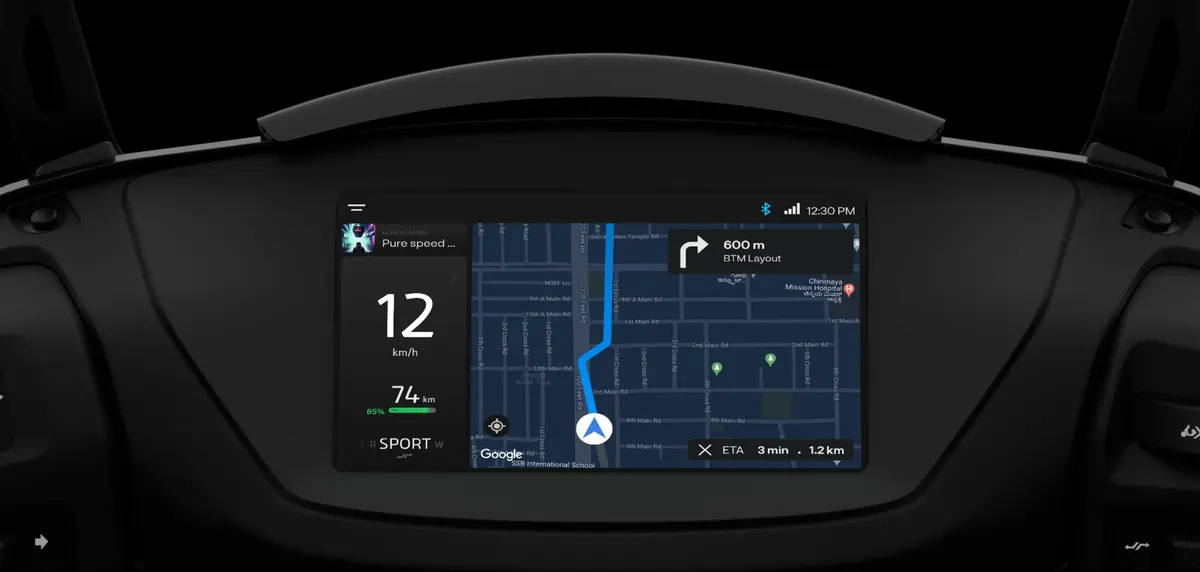
How it works
The scooter's dashboard runs navigation built on the Google Maps platform, using the scooter's own connection. Set a destination from the dashboard or the Ather app and you get turn-by-turn directions on the 7-inch screen in front of you, with your phone safely in your pocket.
Features riders use most
- Push Navigation — send a destination from your phone (for example, a location someone shared on WhatsApp) straight to the scooter.
- Pothole+ alerts — warnings about rough patches other Ather riders have reported on your route.
- WhatsApp on dash — message previews on the dashboard on supported models.
- Live location sharing — let family follow your trip.
- Live cricket scores — for the long red-light waits.
Which models have it
| Model | Google Maps on dashboard |
|---|---|
| 450 Apex | Yes |
| 450X | Yes |
| Rizta Z | Yes |
| 450S | No — DeepView display |
| Rizta S | No — DeepView display |
| Konarc S | No — Konarc Z listed as coming soon |
Is it worth paying for?
If you regularly ride to new addresses — sales calls, deliveries, visiting relatives in parts of the city you do not know — dashboard navigation is one of the features owners say they would not give up. If your routes rarely change, a phone mount on the 450S or Rizta S does the job.
Set off with your route ready
Set your destination before you ride, either on the dashboard or by pushing it from your phone through the app, rather than tapping the screen at a signal. Glance at the screen the way you would at a mirror, and let voice prompts through a Halo helmet do the rest. If you change plans mid-ride, pull over to re-route — it takes seconds when you are stopped.
Questions we get asked
No. The 450S has a DeepView display without built-in Google Maps. Maps is on the 450X, 450 Apex and Rizta Z.
Navigation runs on the scooter's own dashboard using its connection; you can also push destinations from your phone through the app.
Ather lists built-in Google Maps for the Konarc Z, which is coming soon.